
From Play to the first battle
You do not need to install an app or choose a ROM file. The player downloads its game resources only when you press Play. Keep this tab open while the core starts; the loading message changes as the emulator takes over.
- Press Play now above.
- At the lettered TANK menu, choose an option with the arrow keys and confirm with Enter.
- Choose the player mode shown by the game and press Enter to continue. If a stage-selection screen appears, Enter confirms the displayed stage.
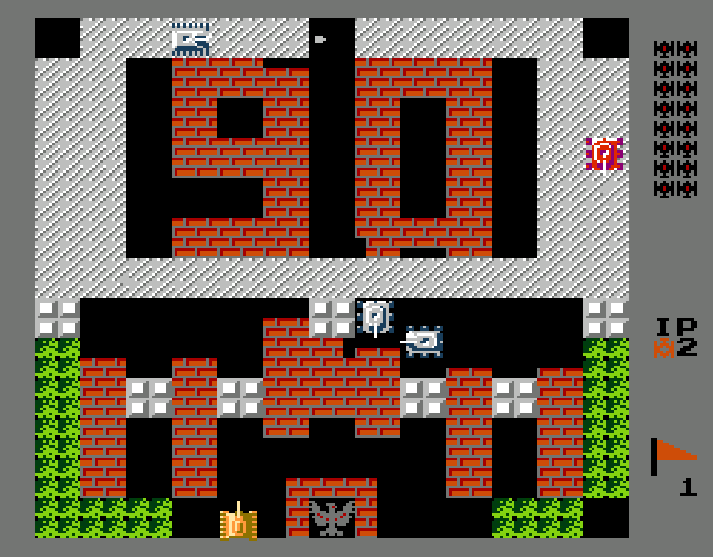
- Click the screen if necessary, move with the arrows and fire with Z or X.
A menu is not a battlefield. Z and X may change a stage option while you are in a menu; they fire only after your tank has appeared.
Pause, save and pick up later
The clearly labelled Pause button under the screen stops the emulator. It changes to Resume so you know whether play is suspended. This is separate from the cartridge's own Start/pause behaviour.
Save here stores one snapshot in this browser. It replaces your previous snapshot for this cartridge. On another visit, press Play, wait for the player to start, then choose Load saved. The same local slot is shared by Home, Online and NES because they run the same cartridge.
This is a manual save, not automatic saving or a cloud account. Clearing site storage, switching browsers, private browsing or changing devices can remove or hide the snapshot. The emulator toolbar also provides file-based save-state controls for a backup; save states should be used with the same ROM and core version.
The original Battle City (1985) player uses a separate save slot. A Tank 1990 snapshot does not transfer to that edition. To continue here, start the player first and then load your Tank 1990 save.
When browser play needs a little help
If the game is silent, interact with the page and check the speaker control in the emulator toolbar. If keys move neither the menu nor your tank, close any emulator settings window and click the game screen. Check that the game is not paused before changing key mappings.
A slow first start and a slow webpage are different problems: the emulator must download and initialise after Play. There is no countdown or artificial waiting period. For more checks, open controls and troubleshooting.